
Keep the details with the order.
Items, quantities, modifiers, and preparation notes appear together. Staff can check the ticket instead of relying on a verbal handoff or a fading receipt.
Nova Flare kitchen display system
Connect the front counter to the kitchen. Nova Flare POS sends orders to the KDS, giving your team a visible digital ticket queue—from the first item to the ready order.
Replace routine kitchen ticket printing with a connected digital workflow.
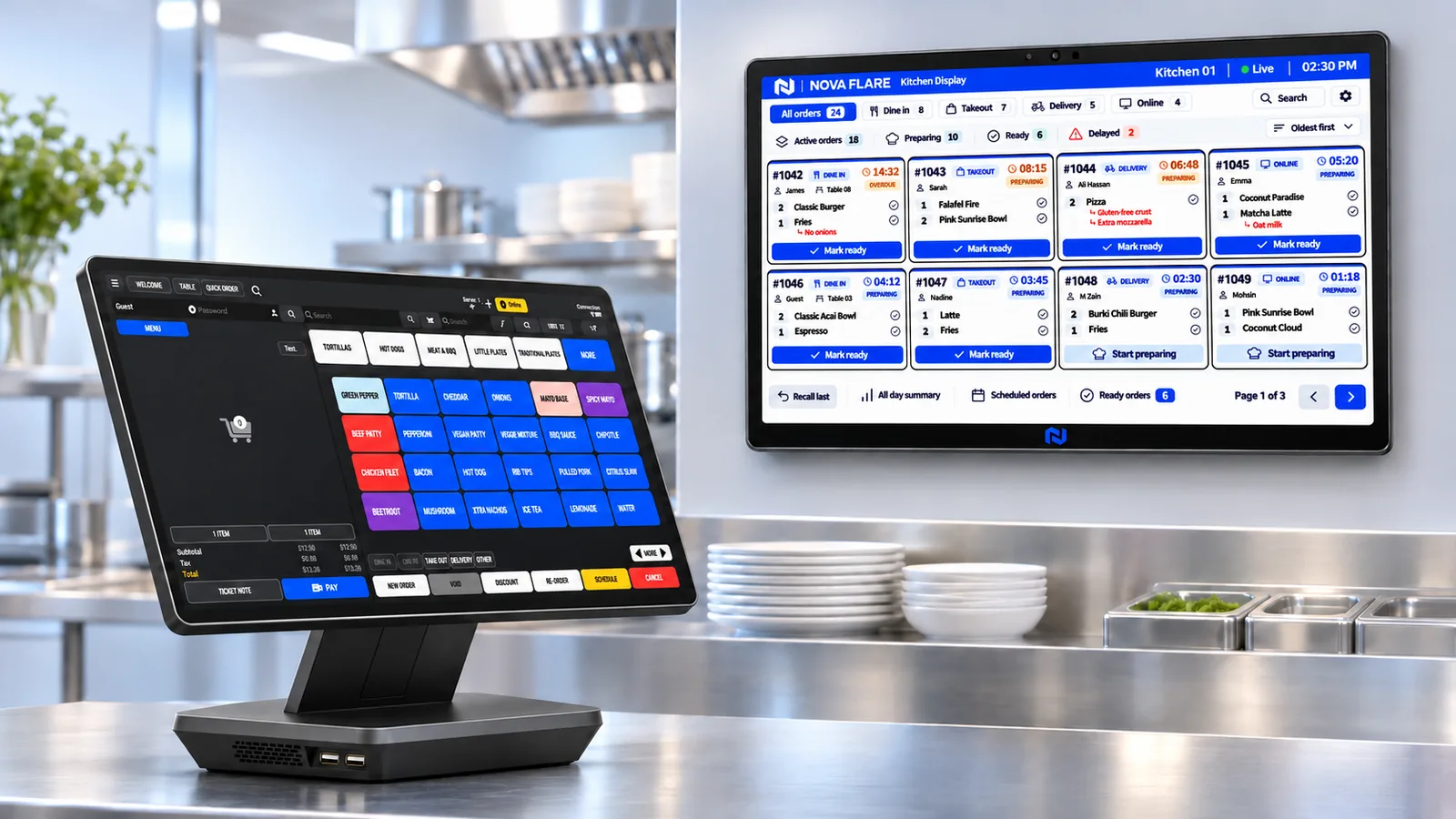
POS-to-kitchen connectionDigital order ticketsVisible modifiers & notesPreparation status at a glance
Why a restaurant needs KDS
When orders are arriving and every station is moving, visibility matters. A KDS puts the work on screen so the team can see what needs attention and what is ready to go.
Items, quantities, modifiers, and preparation notes appear together. Staff can check the ticket instead of relying on a verbal handoff or a fading receipt.
Digital tickets help staff identify incoming work, watch elapsed time, and track progress. A shared view can reduce unnecessary back-and-forth during service.
Orders can arrive directly on the KDS without a printed kitchen chit. That means fewer paper rolls, fewer misplaced tickets, and less printer handling in the preparation flow.
From your restaurant floor
Watch the POS and kitchen display side by side. Both videos play automatically and repeat silently, showing the front-of-house and kitchen experience together.
Capture and manage the order at the POS.
Read the digital ticket at the kitchen screen.
Both clips play silently on repeat. Use each player’s controls for fullscreen or individual playback.
One connected order journey
The POS captures the order. The KDS displays the ticket. Kitchen staff prepare the items and mark the order ready for the handoff. Try the steps below.
Front counter / Nova POS
Order #1048 · Dine in1 × Classic BurgerNo onions · Extra cheese
1 × Fries
1 × Iced Tea
Capture the items and customer preferences once.
Kitchen / Nova KDS
Waiting for the POS to send the order
#1048 · Dine inNew
1 × Classic BurgerNo onions · Extra cheese
1 × Fries · 1 × Iced Tea
Digital ticket received from POS.
Order captured at the POS. Send it to the kitchen to continue.
Illustrates the workflow. Actual routing and status synchronization depend on the configured POS and KDS connection.
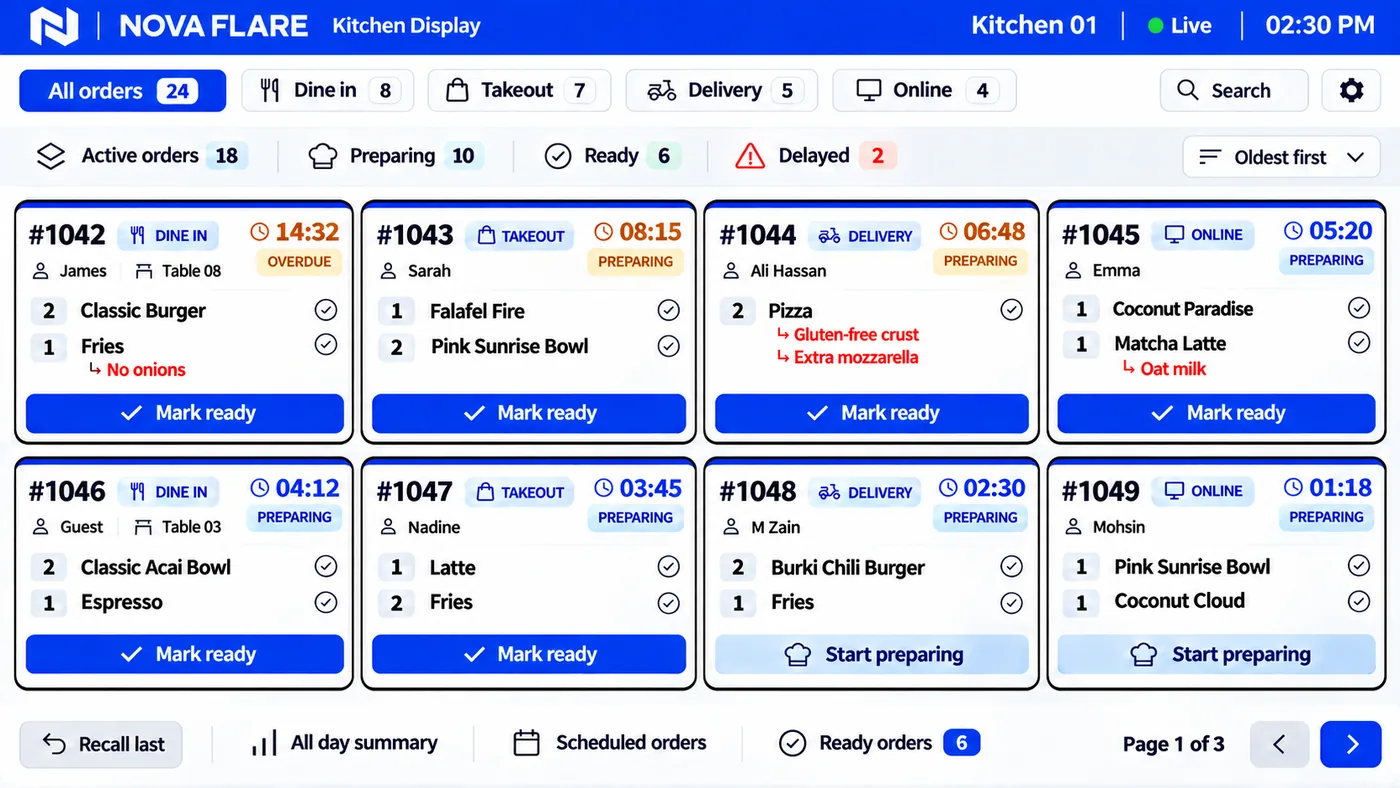
The right information, in view
A screen-based order queue gives the preparation team a place to check the work without searching a crowded rail.
Replace the kitchen ticket, not the whole service
KDS can replace kitchen ticket printing in a configured digital workflow. Customer receipts, labels, and backup printing can remain where needed. Efficiency gains vary with setup, training, and service volume.
Estimate your paper savings
Use your own operating numbers to estimate the cost of paper used for kitchen tickets. This calculation covers paper only, so the assumptions stay clear.
$60.00 / month
$720.00 annualized paper cost
Assumes every entered kitchen ticket becomes digital. Excludes hardware, software, taxes, installation, energy, maintenance, and receipt printing. This is not a total ROI estimate.
Before you switch
A KDS makes kitchen work visible. It groups order details into digital tickets so staff can see what to prepare, check modifiers, and track work through completion. That can improve coordination when multiple orders arrive together.
Staff enter an order at the POS. The configured connection sends its items and notes to the KDS. The kitchen reads the ticket, prepares the order, and marks it ready. Your installation determines routing and how status updates are reflected across devices.
It can eliminate routine kitchen ticket printing by sending orders directly to the kitchen screen. A printer may still be used for customer receipts, packaging labels, or a backup process. We plan the workflow around your restaurant’s needs.
No fixed outcome is guaranteed. Digital tickets can reduce manual paper handling and make the queue easier to follow. The result depends on your layout, order volume, connection reliability, team training, and preparation process.
Confirm device placement, readable screen size, order routing, connectivity, staff permissions, and an outage or backup procedure. Test sample orders and modifiers with your kitchen team before using the setup during a busy shift.
Built around your restaurant
Start with your layout and service flow. Build a discussion brief for Nova Flare covering your POS, kitchen screens, and paperless order journey.